> ## Documentation Index
> Fetch the complete documentation index at: https://developers.kajabi.com/llms.txt
> Use this file to discover all available pages before exploring further.
# Basic vs. Advanced Automations
> Understand the differences between Basic and Advanced Automations based on your Kajabi plan.
Depending on your Kajabi subscription, you may have access to **Basic or Advanced Automations**. If you are on the Basic Plan, you have access to Basic Automations, whereas Growth and Pro Plans have access to Advanced Automations.
Learn more about each Kajabi Plan at [kajabi.com/pricing](https://kajabi.com/pricing).
## Basic Automations
Basic Automations use a simple, powerful pairing: **When** this happens, **Then** this follows.
For example, with Basic Automations you can add a Tag or send an Email when someone submits a Form.
* Basic Automations contain the **When** and **Then** fields
* This enables you to create an Automation where **When** is the trigger and **Then** is the action that occurs once triggered
* Basic Automations can be set up within Course Lessons, Offers, Funnels, Email Campaigns, Events, Forms, Quizzes, and Certificates of Completion
## Advanced Automations
Compared to Basic Automations, Advanced Automations take your Automations one step further by giving you the ability to include a conditional filter.
For example, with Basic Automations you can use an Automation to add a Tag when someone submits a Form. With Advanced Automations, you can fine-tune your Automation further by adding the Tag only if the submitter selects a specific answer on that Form.
* Advanced Automations contain the **When**, **Then**, and **Add Condition** filters
* The **Add Condition** filter enables you to filter your Automation further with an **Only if** condition
* This means you can create an Automation in which the **When** filter specifies the trigger that causes the specified action to occur in the **Then** field, only if the **Add Condition** filter applies. This gives you a vast amount of options to customize Automations to your specific needs
* Advanced Automations allow you to edit, create, and delete Automations all within the **Automations** section of your **Marketing** tab as well as within Course Lessons, Offers, Funnels, Email Campaigns, Events, Forms, Quizzes, and Certificates of Completion
Wait Nodes, which hold an Automation for a set time before the next step runs, are moving out of this split so they work on every plan. That change is reaching accounts gradually, so **Wait** may still carry a **Premium** label on yours. [Learn how to use a Wait Node](/articles/marketing/automations/how-to-use-a-wait-node-with-automations)
[Learn more about specific Automations](/articles/marketing/automations/understanding-automation-components)
**Note:** **Add Condition** is what the conditional filter is called in the original Automations experience. On the upgraded experience the same conditions are the **Only if** filters you add on the Automation canvas. The Basic and Advanced plan split applies to both. [Learn which Automations experience you have](/articles/marketing/automations/automations-overview#which-automations-experience-you-have)
## Add a Basic vs. Advanced Automation
### Basic Automations view
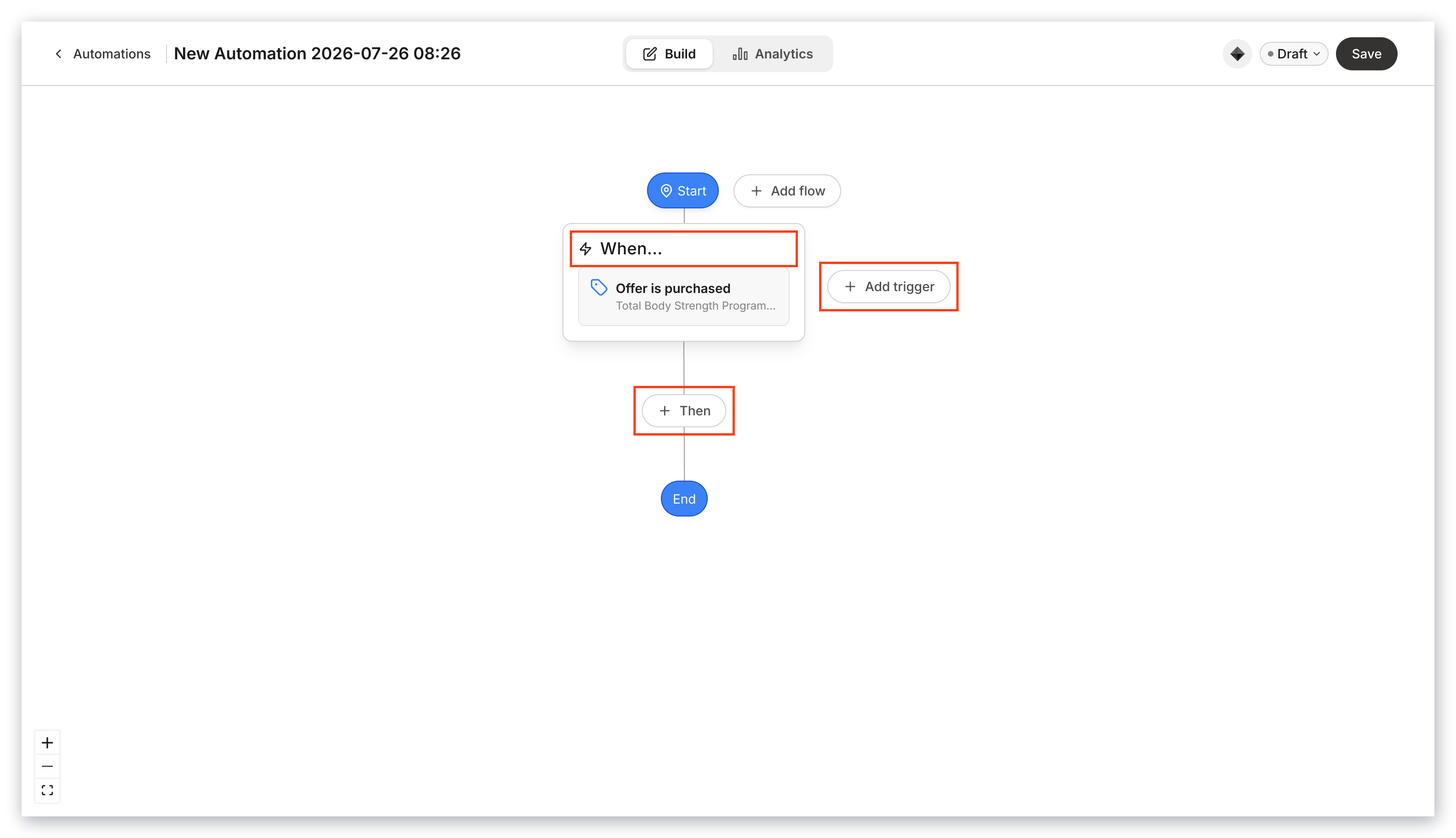
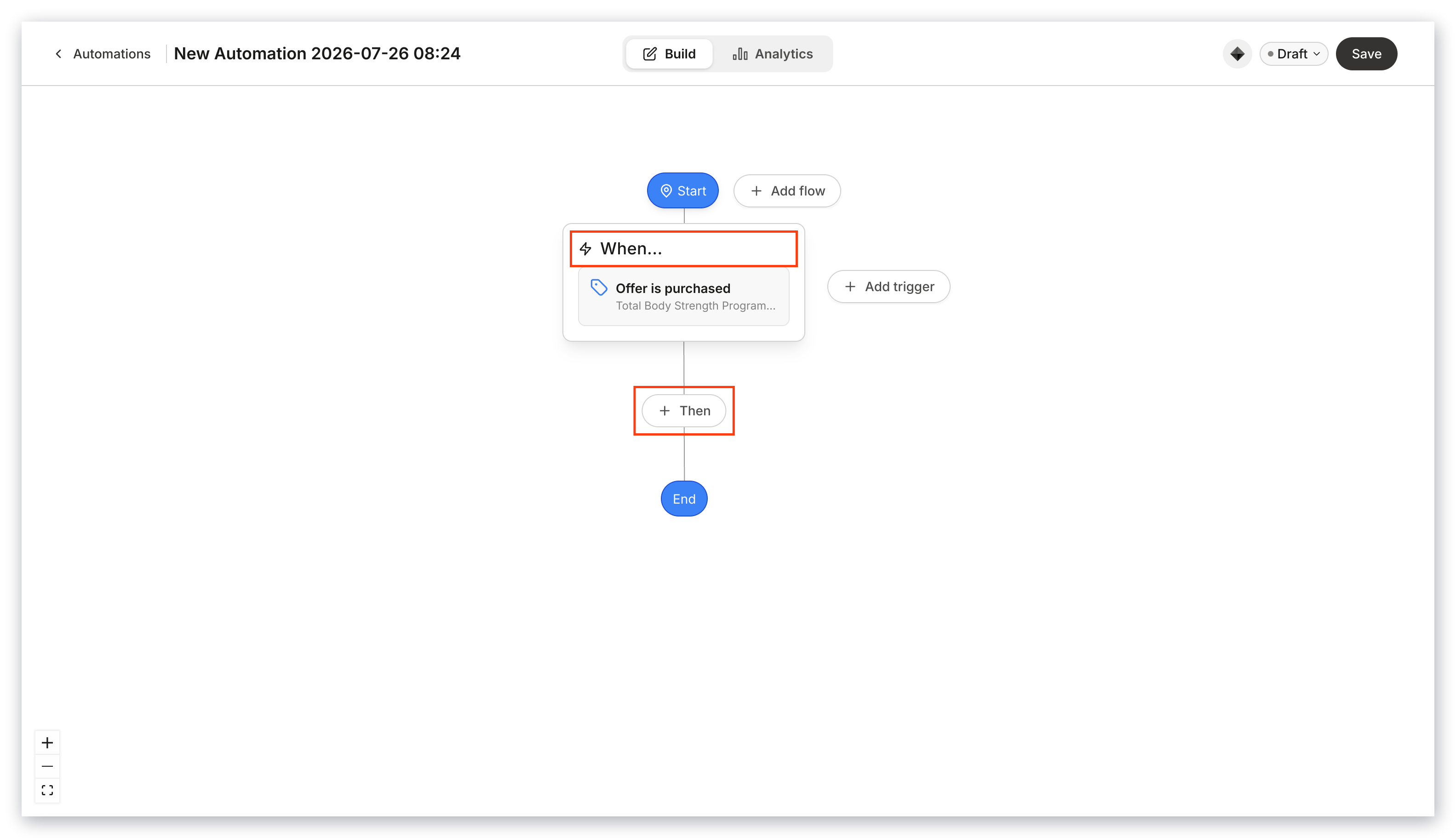
With Basic Automations enabled, your Automations section looks like this:
 ### Advanced Automations view
The Automations section looks like this when Advanced Automations are enabled:
### Advanced Automations view
The Automations section looks like this when Advanced Automations are enabled: