> ## Documentation Index
> Fetch the complete documentation index at: https://developers.kajabi.com/llms.txt
> Use this file to discover all available pages before exploring further.
# Identify inactive Coaching sessions
> Filter and locate inactive sessions in a Coaching Product.
**Inactive sessions** occur when a coaching client has the Coaching Product [revoked](../../contacts/manage-your-contacts/revoke-product-access-from-a-customer) or product access has [expired](../../sales/offers/how-to-restrict-product-access-to-a-specific-amount-of-days).
 ## Locate inactive Coaching sessions
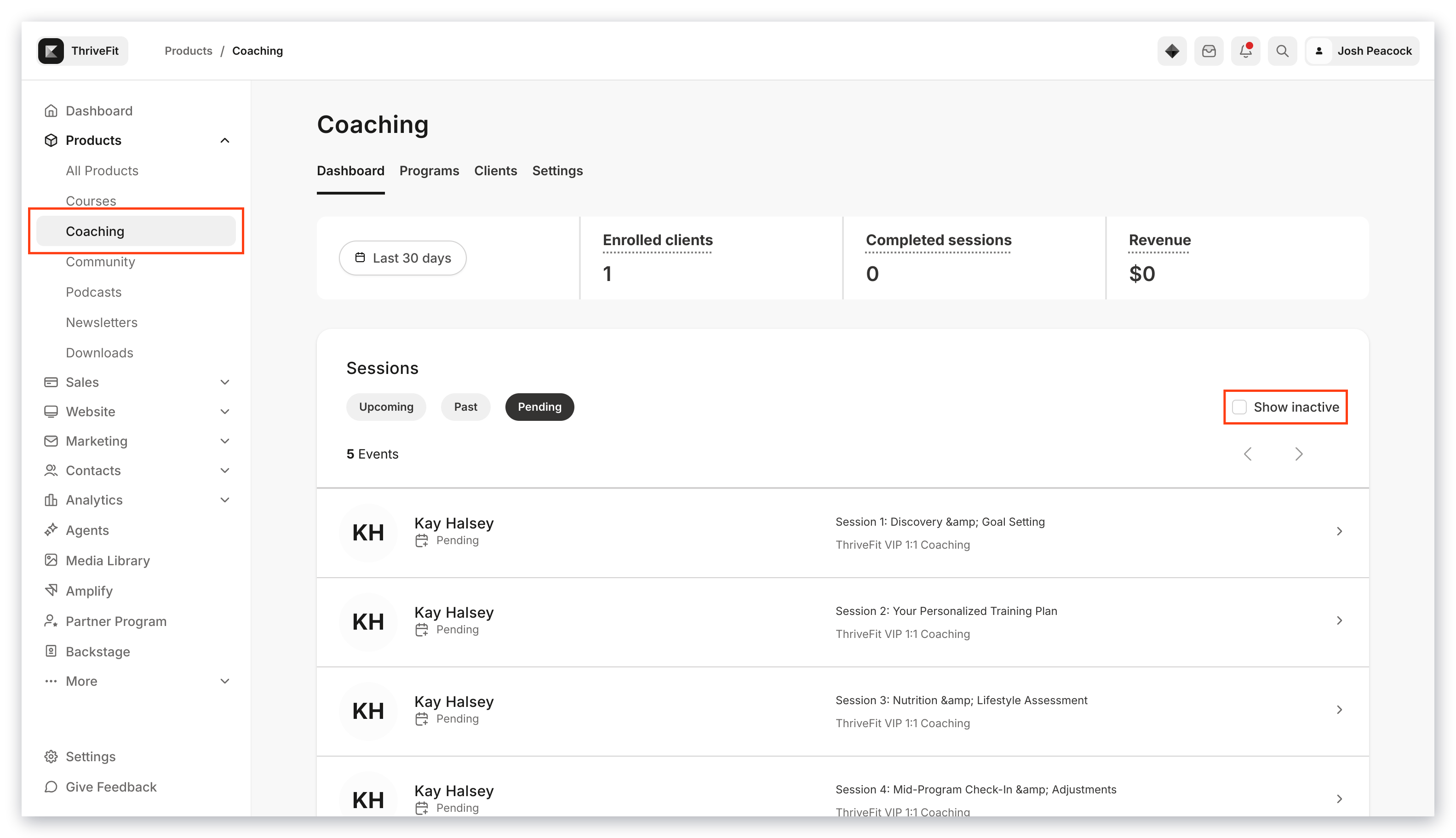
Identify your inactive coaching sessions in the Coaching Dashboard to strategize your upcoming coaching plans.
1. Open the **Products** tab from your Dashboard
2. Click **Coaching** in the left dropdown menu under Products
3. Select the **Show inactive** checkbox in your Sessions section to view your inactive coaching sessions
## Locate inactive Coaching sessions
Identify your inactive coaching sessions in the Coaching Dashboard to strategize your upcoming coaching plans.
1. Open the **Products** tab from your Dashboard
2. Click **Coaching** in the left dropdown menu under Products
3. Select the **Show inactive** checkbox in your Sessions section to view your inactive coaching sessions