> ## Documentation Index
> Fetch the complete documentation index at: https://developers.kajabi.com/llms.txt
> Use this file to discover all available pages before exploring further.
# Edit the text on the checkout page
> Customize the text displayed on a checkout page to match your brand voice and messaging.
Your **Checkout page** text plays an important role in guiding customers through the purchase process. You can customize headlines, descriptions, and button text to better reflect your brand and communicate value to potential buyers on both new and existing checkout pages.
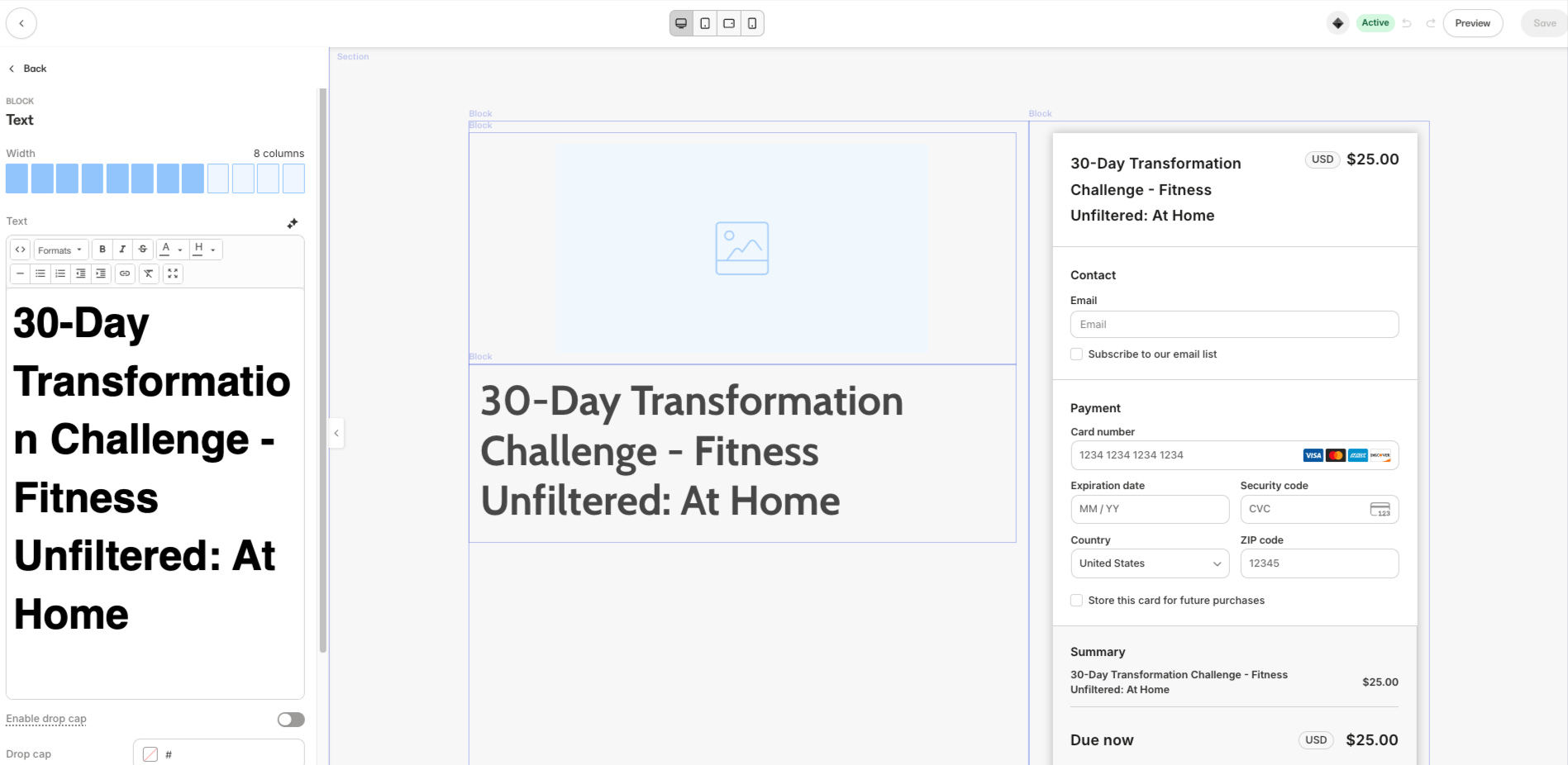 ## Edit text on a new checkout page
Set up your custom checkout text when creating a new offer.
1. From the Kajabi Dashboard, click on the **Sales** tab, then **Pricing.**
2. Click the **+New Offer** button at the top right and follow the Offer creation flow.
3. Select the **Settings** tab.
4. Under **Checkout template**, click **Customize**
5. Select any **Block** and edit text as desired
6. Click **Save** to apply your changes
## Edit text on an existing checkout page
Update the text on checkout pages you've already created.
1. From the Kajabi Dashboard, click on the **Sales** tab, then **Pricing.**
2. Click the **+New Offer** button at the top right and follow the Offer creation flow.
3. Select the **Settings** tab.
4. Under **Checkout template**, click **Customize**
5. Select any **Block** and edit text as desired
6. Click **Save** to apply your changes
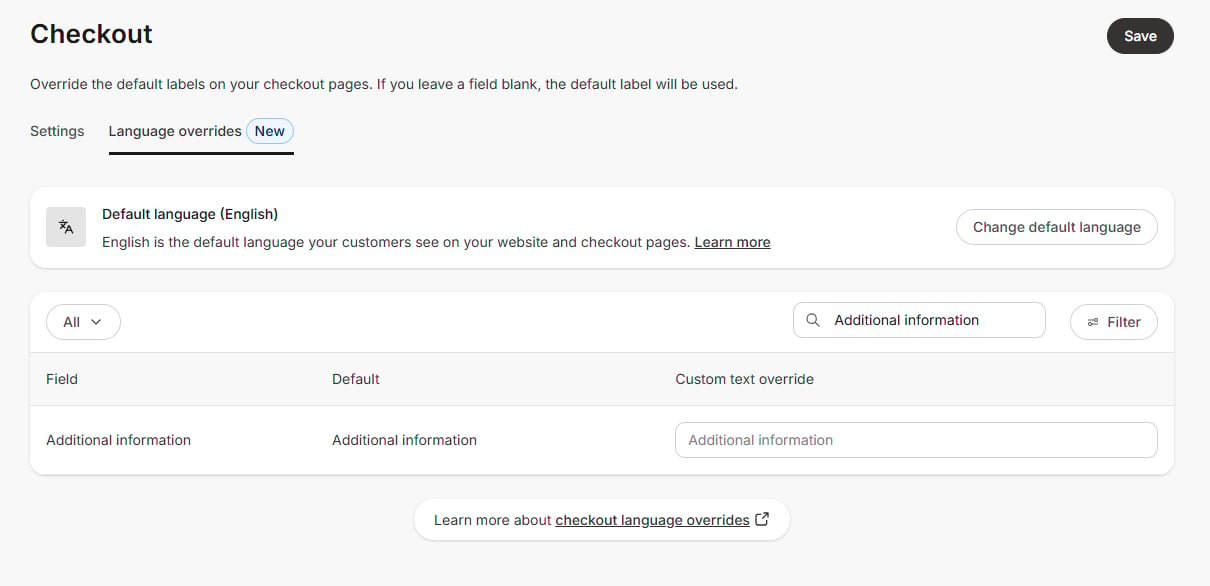
## To edit the **"Additional information"** text in the custom field on your checkout page
1. In your dashboard, click on **Settings**.
2. Under Settings, click on **Checkout**.
3. Click on **Language Overrides new**.
4. In the **Search by field**, enter **"Additional info"**.
5. The **Field** and **Default text** will appear, enter your desired text in the box.
6. Click **Save** to apply your changes.
## Edit text on a new checkout page
Set up your custom checkout text when creating a new offer.
1. From the Kajabi Dashboard, click on the **Sales** tab, then **Pricing.**
2. Click the **+New Offer** button at the top right and follow the Offer creation flow.
3. Select the **Settings** tab.
4. Under **Checkout template**, click **Customize**
5. Select any **Block** and edit text as desired
6. Click **Save** to apply your changes
## Edit text on an existing checkout page
Update the text on checkout pages you've already created.
1. From the Kajabi Dashboard, click on the **Sales** tab, then **Pricing.**
2. Click the **+New Offer** button at the top right and follow the Offer creation flow.
3. Select the **Settings** tab.
4. Under **Checkout template**, click **Customize**
5. Select any **Block** and edit text as desired
6. Click **Save** to apply your changes
## To edit the **"Additional information"** text in the custom field on your checkout page
1. In your dashboard, click on **Settings**.
2. Under Settings, click on **Checkout**.
3. Click on **Language Overrides new**.
4. In the **Search by field**, enter **"Additional info"**.
5. The **Field** and **Default text** will appear, enter your desired text in the box.
6. Click **Save** to apply your changes.