

Resend emails
Even the best emails sometimes go unread. That’s why Kajabi gives you the power to resend emails to those who didn’t open them the first time. Resending your broadcasts to non-openers can give your audience another chance to see your information, boost audience engagement, and let you optimize your message by updating the subject line, preview text, or body copy.Note:
The Resend to Unopened option is subject to the following eligibility requirements. If the option does not appear on a sent broadcast, one or more of these conditions has not been met:
- The broadcast must have achieved at least a 20% open rate. Broadcasts below this threshold are not eligible, to protect your sender reputation.
- Your account must be identified as an established sender by Kajabi. This is determined automatically based on your sending history; there is no way to manually request established sender status. If your account is new, this feature becomes available once you have built a sufficient send history.
- At least 48 hours must have passed since the original send.
- The original broadcast must have been sent no more than 3 months ago.
- There must still be unopened recipients. If everyone opened the original email, the option will not appear.
Resend an email broadcast
- Navigate to the Marketing tab from your Dashboard.
- Open Email Campaigns.
- Click the
…icon to open more options for an email broadcast that has been sent. This option will be available 48 hours after the original email was sent, up until three months after the original email was sent. - Select Resend to unopened:
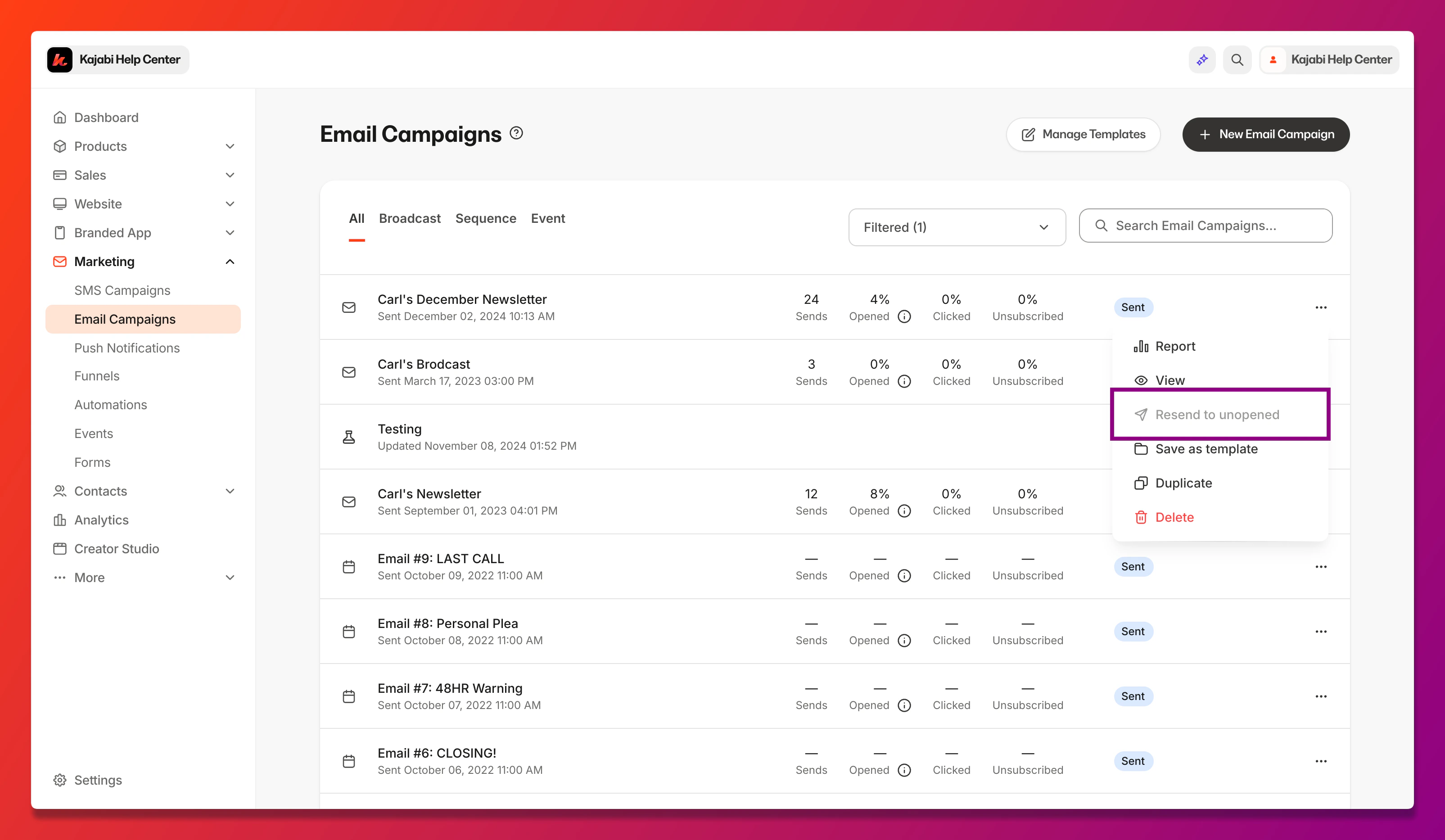
- Follow the prompts to edit your email broadcast.
Note:
You do not have to edit your email. Continue through the prompts to keep your original email copy/designs.
- Schedule your resend:
- Send right now
- Schedule for later