

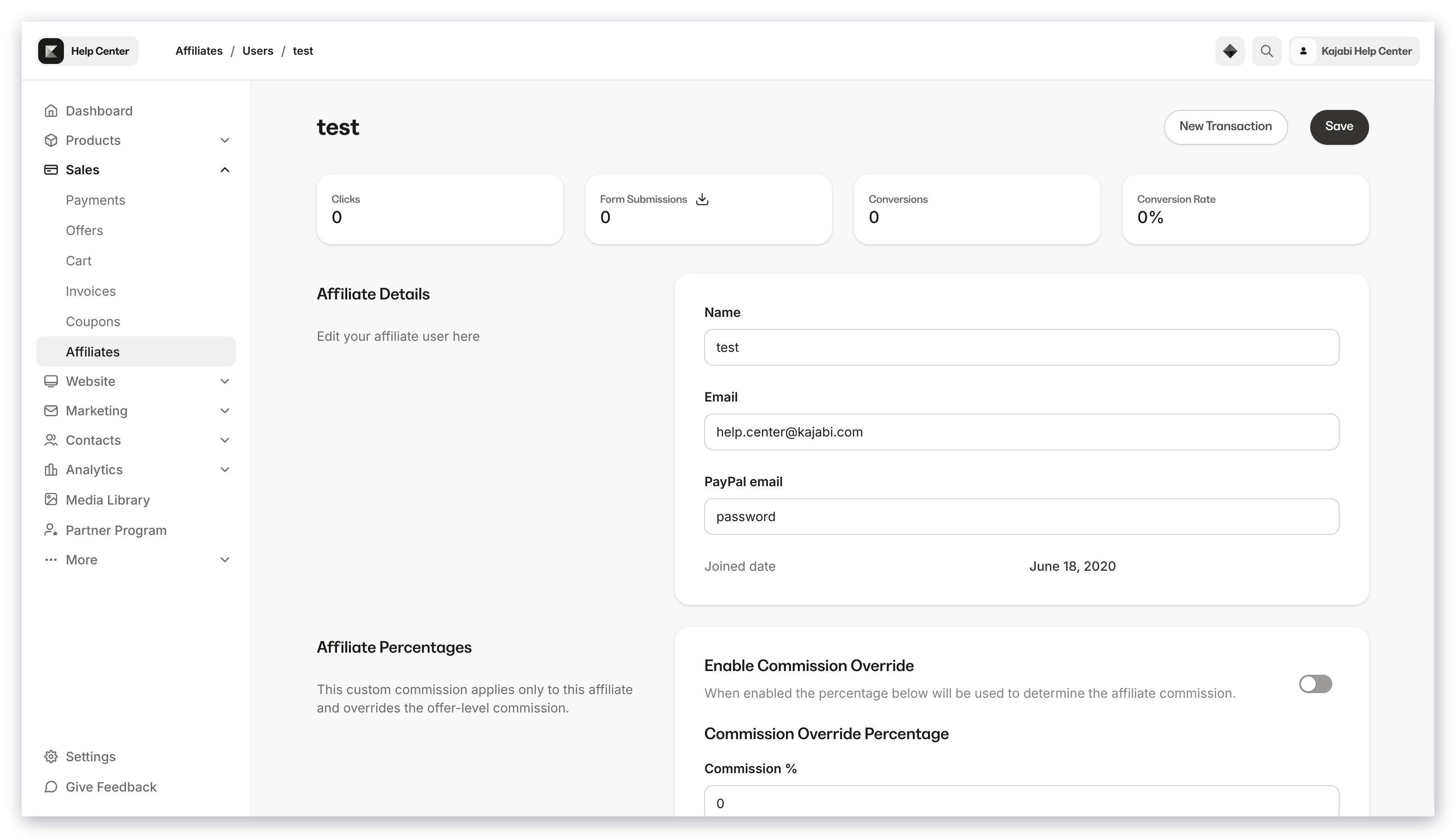
- Review their individual affiliate statistics.
- Override their affiliate Percentage.
- View which Share Links are available to each affiliate.
- Create a Manual Transaction to credit your affiliate.
Note: Affiliates do not automatically get added to your Contacts tab. Because affiliates do not need to be customers of your site, they may only exist on your Affiliates Dashboard.However, if your affiliates complete a Form created on your Kajabi site, purchase an Offer, or are manually imported into your Contacts tab, then you will be able to see your affiliates in both your Affiliates Dashboard and your Contacts tab.
Invite Affiliates
Manually import affiliates by sending an invite to join your site.- From the Dashboard, click Sales.
- Click Affiliates.
- Open My affiliates from the top navigation menu.
- There, click + Invite affiliates in the top right corner of the page.
- Enter the Name and Email Address of your new affiliate(s).
- Click Invite.
Note: You may add up to 500 affiliates with each import.
Use a CSV to import affiliates
You can copy affiliate information from a specifically formatted CSV file and paste it into the Invite new affiliates field.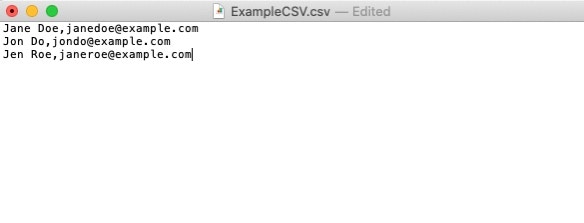
- Format each line as First Name Last Name,Email Address
- Do not include extra commas or special characters
- Examples:
- John Doe,jdoe@example.com
- Jane Smith,jsmith@example.com
- Examples:
Activate Affiliate commissions
After inviting your affiliates, activate Affiliate commissions to credit your affiliates for transactions made with their Share Links. Learn more. Additionally, you can activate affiliate commissions specifically for certain offers:- From the Dashboard, click Sales, then click Pricing.
- Select the desired Offer.
- Select the Settings tab.
- Toggle on Activate affiliate commissions for this offer to configure the specific payout percentage or fixed amount for that offer.
Note: When opening an exported report CSV file, use TextEdit (for Mac) or Notepad (for PCs).
After inviting an Affiliate
An invited affiliate is marked with an Invite pending banner until they have confirmed their desire to join as an affiliate of your site: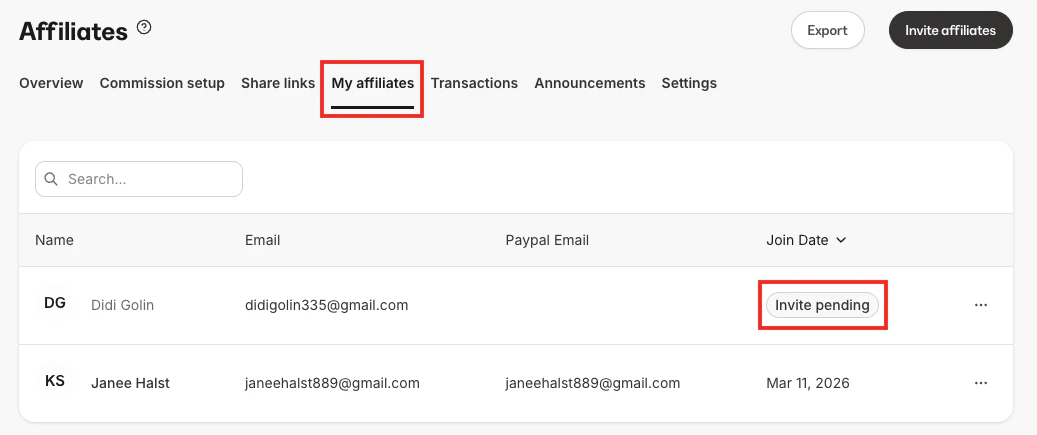
Note: Your invited affiliate has up to 72 hours to confirm and verify their email. Until they confirm, they are not yet an affiliate of your site. They won’t have Share Links or a Coupon Code, and they can’t earn commission.
If an invitation expires
If your invited affiliate doesn’t confirm within 72 hours, their row updates to show an Invite expired badge in place of a join date. Because they never completed registration, their name won’t be clickable and there’s no Edit option. An expired invitee is not an affiliate. They have no Share Links or Coupon Code, and they cannot earn commission on any sale until they confirm their invitation. You have two options from the row’s action menu:- Resend sends a new invitation email with a fresh 72-hour window. The badge returns to Invite pending. Once they confirm, they become a full affiliate and can begin earning commission.
- Delete removes the expired invitation from your affiliates list and frees that email address, so you can invite the same person again later.
Send the Affiliate Signup link
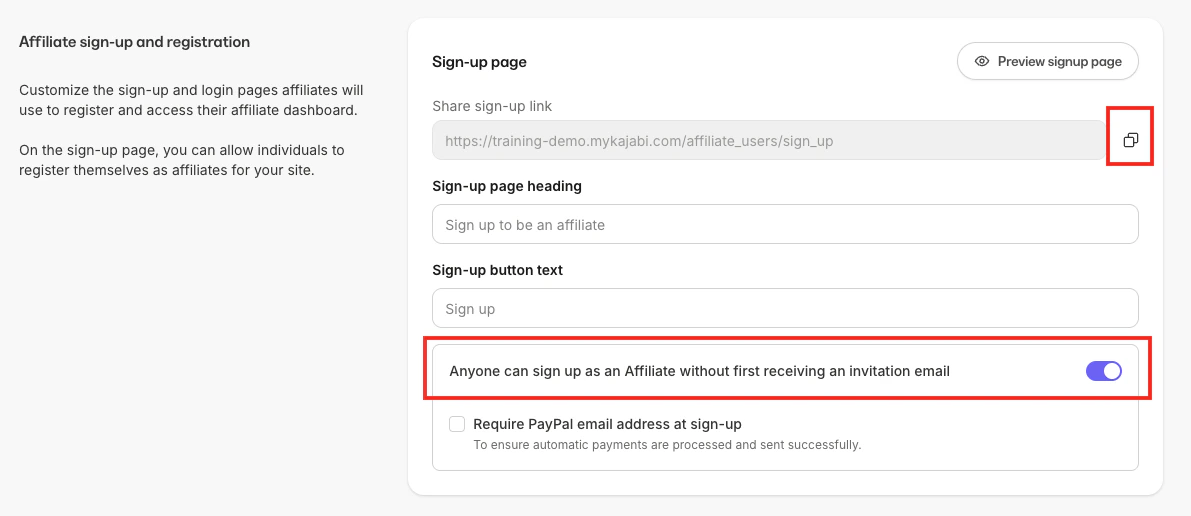
Enable self-registration to allow Affiliate Users to register for your site.Enable Affiliate registrations
- Open the Sales tab from your Dashboard.
- Click Affiliates.
- Open Settings from the top navigation menu.
- Toggle on Enable Self-Registrations.
Copy and share the Affiliate sign-up link
- Open the Sales tab from your Dashboard.
- Click Affiliates.
- Open Settings from the top navigation menu.
- Select Copy next to the Share sign-up link field.
Affiliate user welcome email
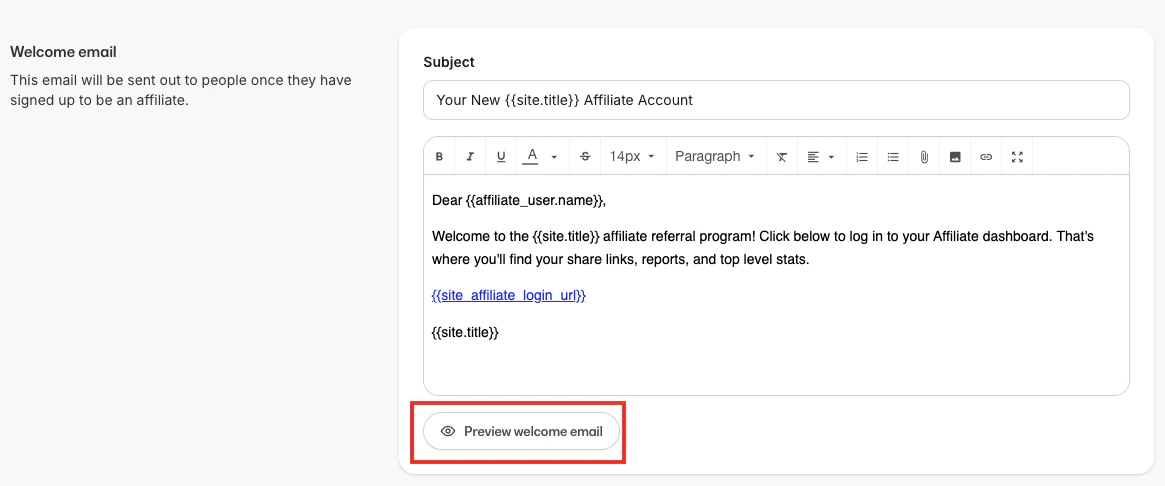
An affiliate user welcome email is sent to your affiliates after they’ve successfully signed up as an affiliate of your site.Default welcome email
Edit the affiliate user welcome email
- Open the Sales tab from your Dashboard.
- Click Affiliates.
- Select the Settings tab from the top menu.
- Scroll down the page to the Welcome email.
- Edit your Subject line and Email body.
- Click Save to apply your changes.
- Click Preview welcome email to view how your email will appear to your Affiliates.
Send an Affiliate Portal login link
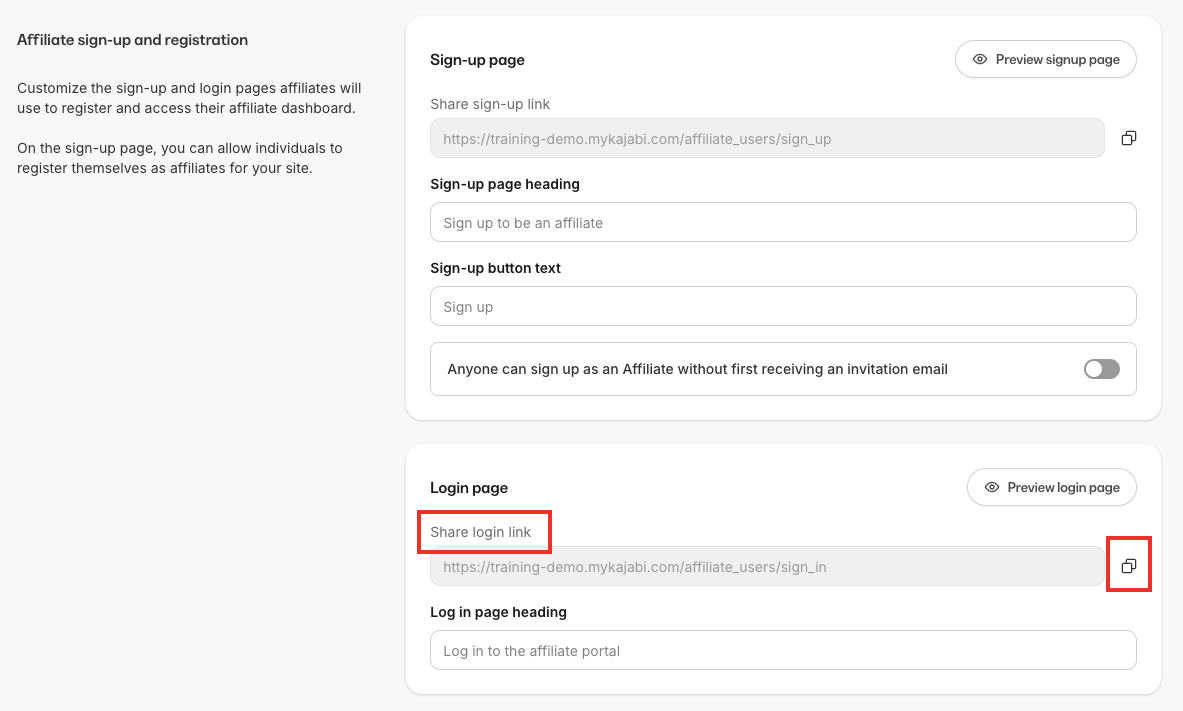
New affiliates will receive an email containing their login credentials and the link to log in to their Affiliate Portal. If you wish to send your affiliates the link to log in directly:- Open the Sales tab from your Dashboard.
- Click the Affiliates tab.
- Select the Settings tab from the top menu.
- In the Affiliate sign-up and registration section, click Copy next to the Login page link and send to your new affiliate.
Delete an Affiliate User
Deleting a confirmed affiliate permanently removes them from your site, including all related affiliate data such as clicks and conversions. Deleting an expired affiliate removes it from your affiliates list and frees that email address, so you can invite the same person again later. There is no click, conversion, or commission history to remove.- Open the Sales tab from your Dashboard.
- Click Affiliates.
- Select My affiliates from the top navigation menu.
- Select the name of the Affiliate you wish to remove.
- Scroll to the bottom of the page and click Delete.
- Complete the prompt.
- Click Delete affiliate.